Desktop video app for TikTok · 02 / 09
Shaden
A Windows app that prepares TikTok videos locally: quality encoding, AI upscaling, colour, and outputs verified by decoding.
- Role
- Solo developer · own product
- Year
- 2026
- Status
- Almost Done
- Platform
- Windows desktop
Overview
The project.
TikTok creators lose quality on upload, and the usual fixes are scattered command-line tricks: container patches, re-encodes and upscalers. Each one can quietly damage the source, change the frame rate or produce a file that doesn't survive the platform.
Shaden puts the whole job in one guided desktop flow: open a video, review the plan, preview, export and check, with the original never touched. It is at release-candidate stage; signing, licensing and the live TikTok hand-off are still being finished.
The problem
No single tool prepares a video for TikTok, proves the result is valid and leaves the original untouched; the existing tricks can silently break files.
My solution
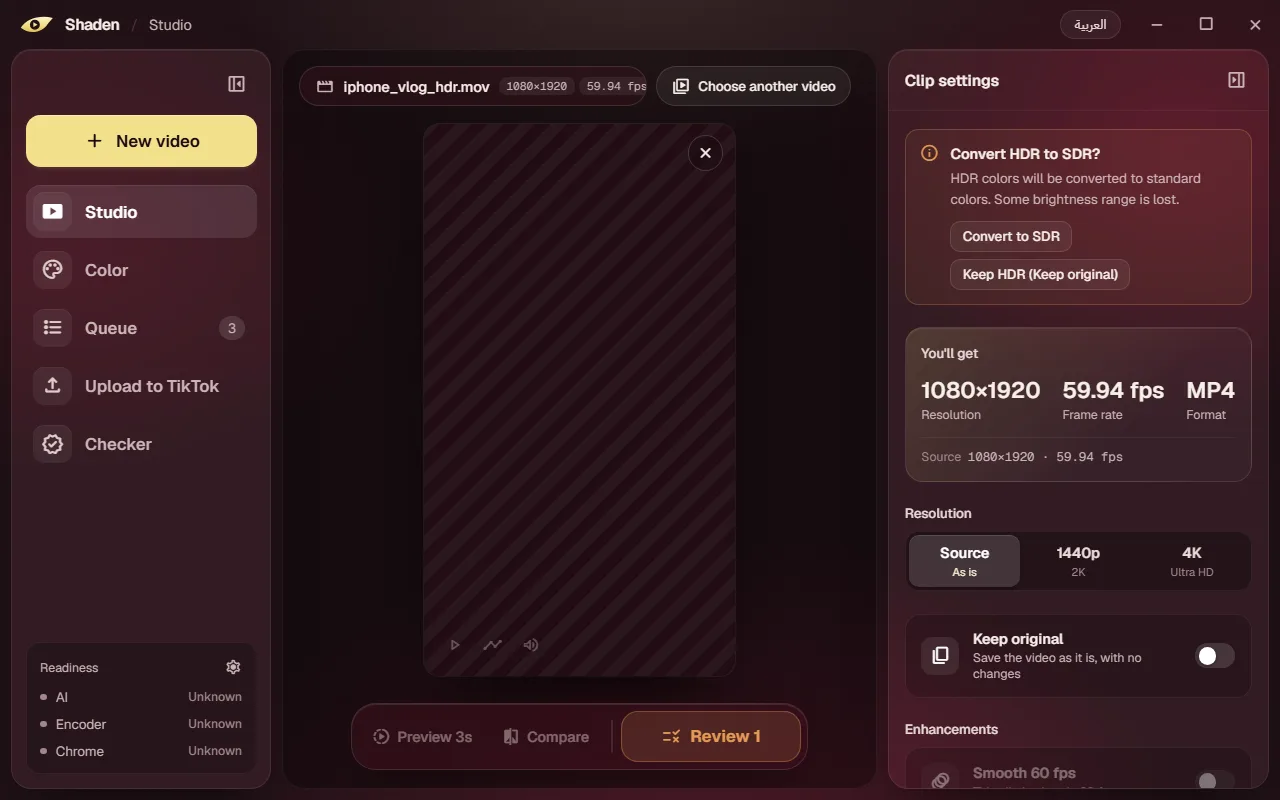
A local app where every change to resolution, frame rate or HDR is explicit, every output is validated by decoding and published without overwriting anything, and quality checks report only what was actually measured.
What it does
Key features.
- 01
Plan before encoding
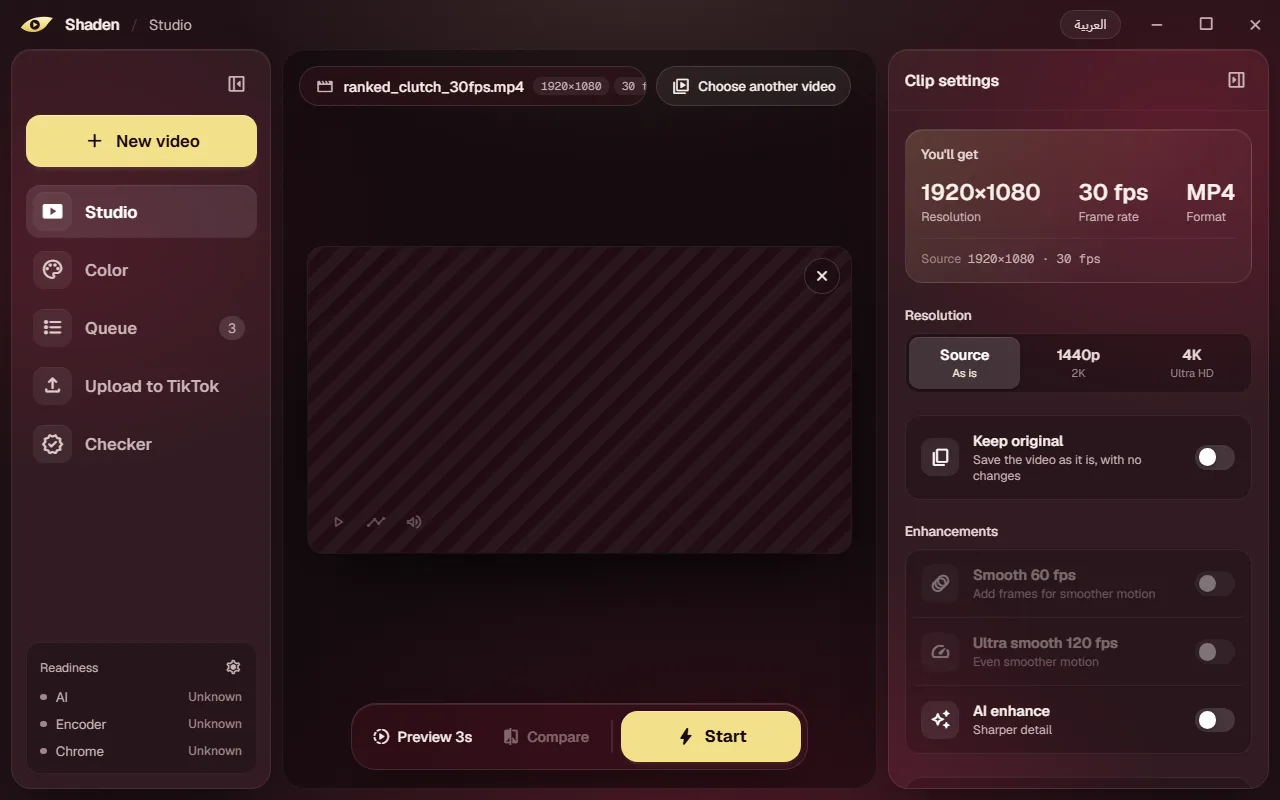
ffprobe analysis of resolution, rotation, HDR and frame rate, with confirmation required before upscaling, HDR to SDR or frame-rate changes.
- 02
Quality-first encoding
H.264 with x264 at CRF 18 or NVENC, QSV and AMF hardware encoders, with output from source size up to 4K.
- 03
TikTok container strategies
An audio patch and an experimental video patch, adapted from open-source tools and hardened, each validated separately.
- 04
AI upscaling engine
A native C++ runner for Real-ESRGAN on the GPU through Vulkan or on the CPU, with the model chosen by benchmark.
- 05
Colour tools
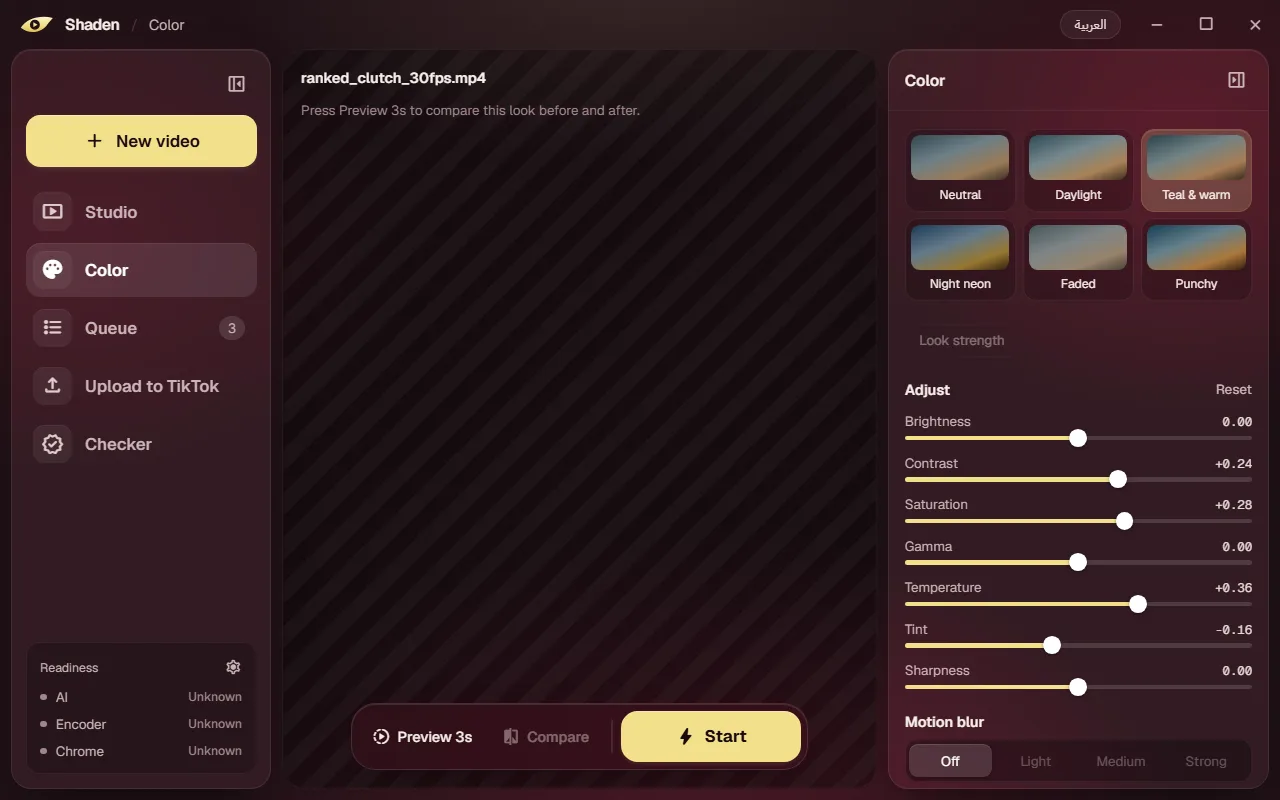
Brightness, contrast, saturation, gamma, temperature, tint and sharpness, six built-in looks, .cube LUT import and saved presets.
- 06
Preview and compare
A 3-second preview render with before-and-after comparison.
- 07
Persistent queue
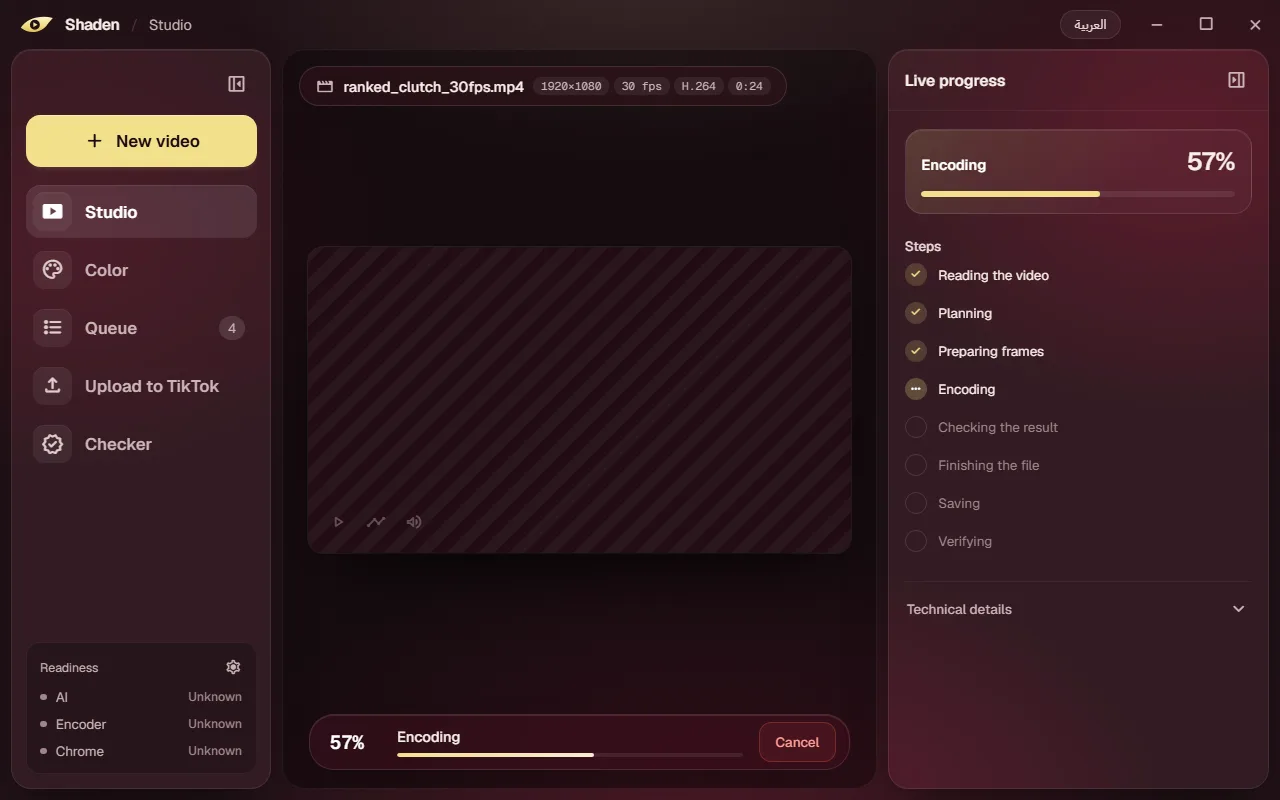
Queue, reorder, pause, retry and cancel jobs, with a live progress dock and history that survives restarts.
- 08
Honest quality checker
Decodes the output and compares it with the source using aligned SSIM, and says “could not measure” rather than guessing.
- 09
Arabic and English UI
Six screens, Arabic right-to-left by default and English left-to-right.
Interface
Screens from the real app.
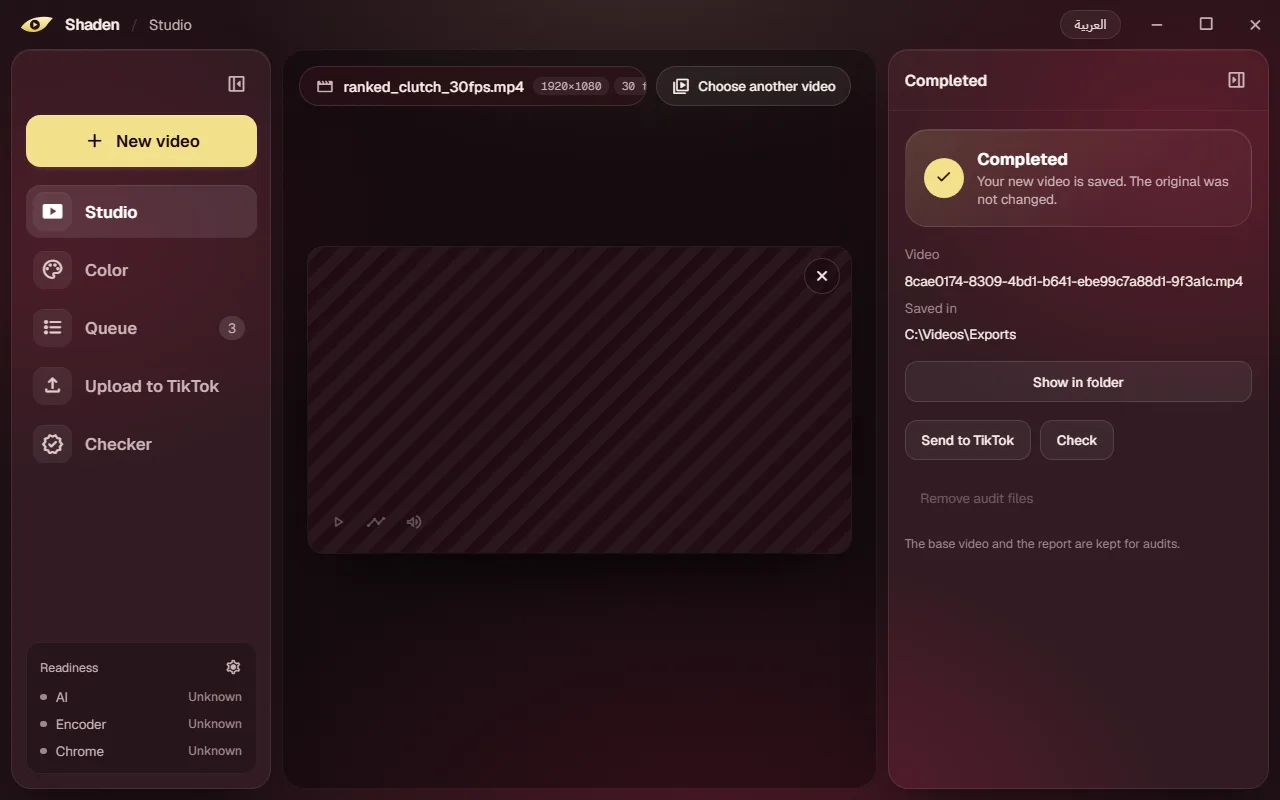
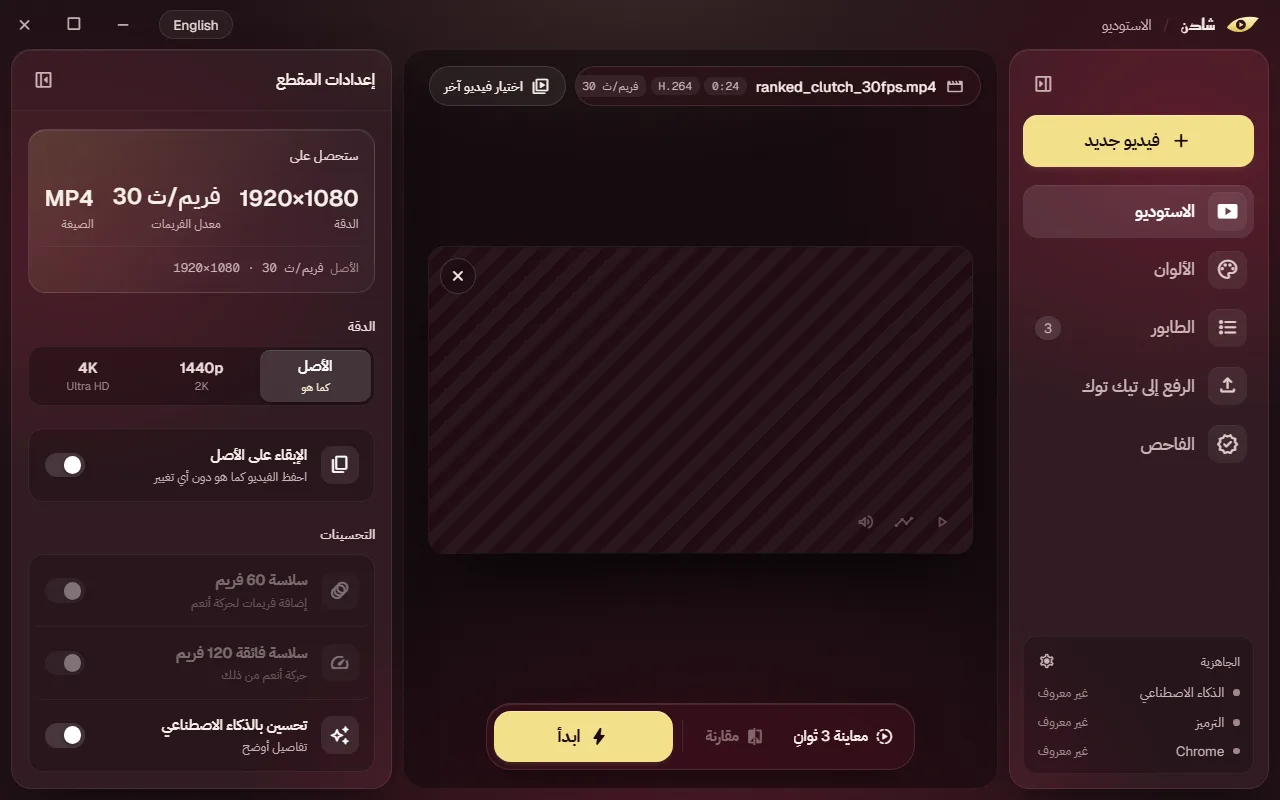
Under the hood
How it's built.
Architecture and the engineering decisions behind it.
01
Tauri shell, Rust core
The React UI runs in a Tauri webview and reaches the system only through 36 Rust commands for probing, planning, queueing, previews, presets, checks and upload preparation.
02
A supervised media worker
Rust launches a packaged Python worker under Windows Job Objects. They exchange size-capped JSON Lines, each validated against shared JSON Schema contracts.
03
A pipeline with guarantees
Each job runs analysis, a policy plan that never silently changes resolution, frame rate or HDR, optional colour and AI stages, the encode, a container strategy and decode-based validation.
04
Publish without risk
Outputs are written with no-replace publication inside the chosen folder, and a job counts as complete only after an audited validation result. Queue and history live in SQLite.
05
The user always publishes
A Chrome extension and native host attach the file in TikTok Studio inside the user's own browser profile, then stop. Shaden never posts on its own.
Problems solved
Technical challenges.
Never damage the source
No-replace publication, rejection of reparse-point paths, fixed storage races and completion reserved for audited results keep the original safe.
Hardening third-party tricks
The audio patch gained an upstream fix, bounded memory and offset handling, and now rejects inputs with variable frame timing; the video patch stays marked experimental.
Honest measurement
The checker requires complete, aligned SSIM statistics and reports when it cannot measure, instead of inventing a score.
AI on varied hardware
The upscaler was picked by measured comparison, and CPU output was checked against GPU output within a recorded error tolerance.
Development status · Almost Done
What's next.
Everything above is built and working. These parts are planned and not implemented yet:
- Smooth 60 and 120 fps frame generation (code exists, switched off in the UI)
- Live attachment in TikTok Studio (needs the production page adapter)
- Signed AI model-pack downloads and automatic updates
- Licensing server, code signing and a clean-machine installer test
- A trial with 5–10 creators before launch