Archive system UI prototype · 09 / 09
Arch Design
A clickable prototype of a university archive system: file locations, borrowing workflows and three role dashboards.
- Role
- UI prototype · spec by GDG On Campus LIMU
- Year
- 2026
- Status
- Prototype
- Platform
- Web
Overview
The project.
A university keeps thousands of physical student files in cabinets, and staff can't easily see whether a file is present, borrowed or complete. This prototype explores a “digital twin” of that archive.
I designed and built the clickable prototype from a requirements document written by a GDG On Campus LIMU team. It covers three roles, Super Admin, Archivist and Faculty Staff, with realistic flows on sample data.
The problem
Paper-based borrowing and no visibility into where a physical file is, whether it is complete, or who has it.
My solution
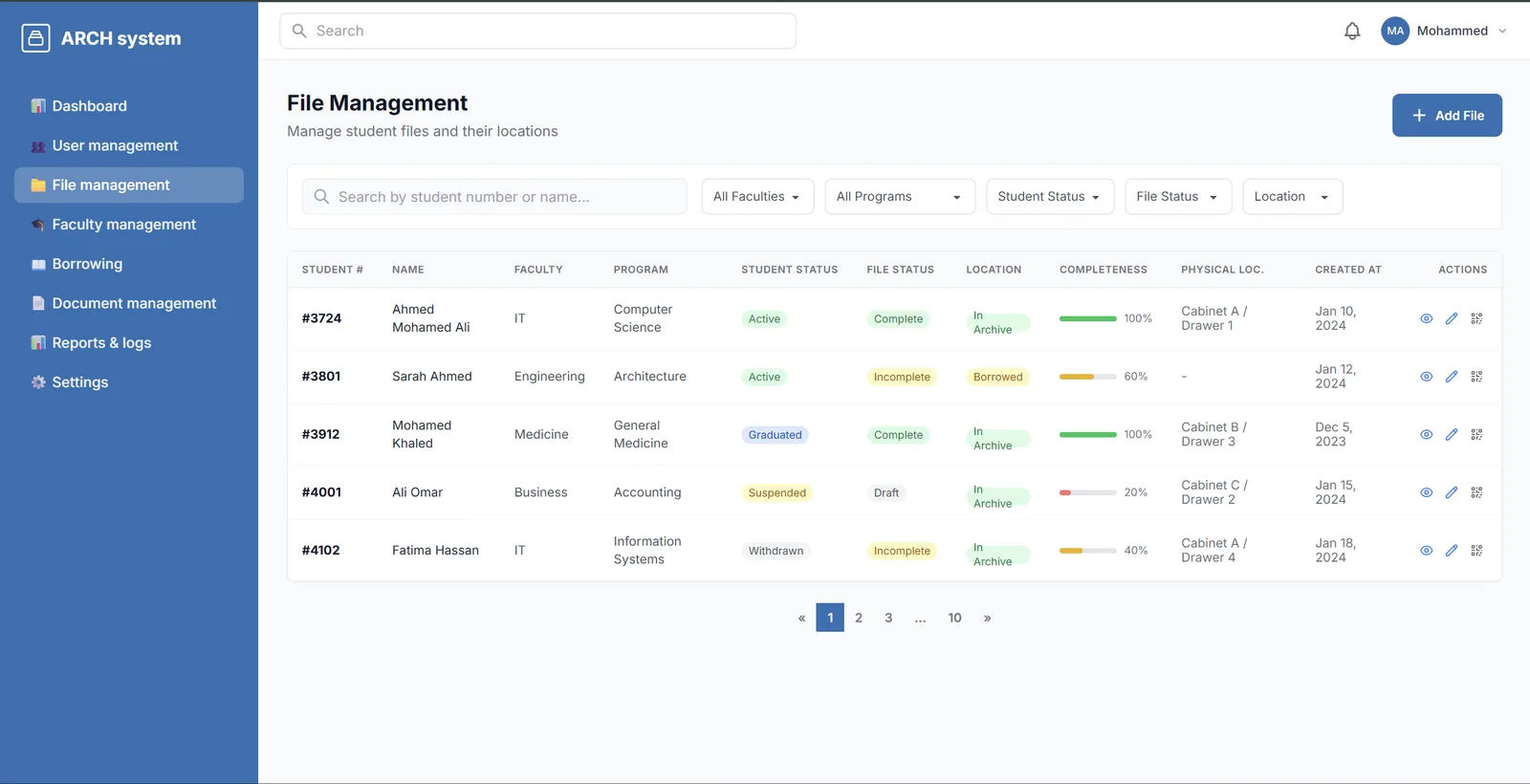
Every file shows its physical location (room, cabinet, drawer), status and completeness, borrowing runs as a QR-driven workflow with overdue tracking, and each role gets its own workspace.
What it does
Key features.
- 01
Role-based entry
A landing page that opens the Super Admin, Archivist or Faculty Staff workspace.
- 02
File management
A table of student files with status, completeness bars, physical location, filters and pagination.
- 03
Location picker
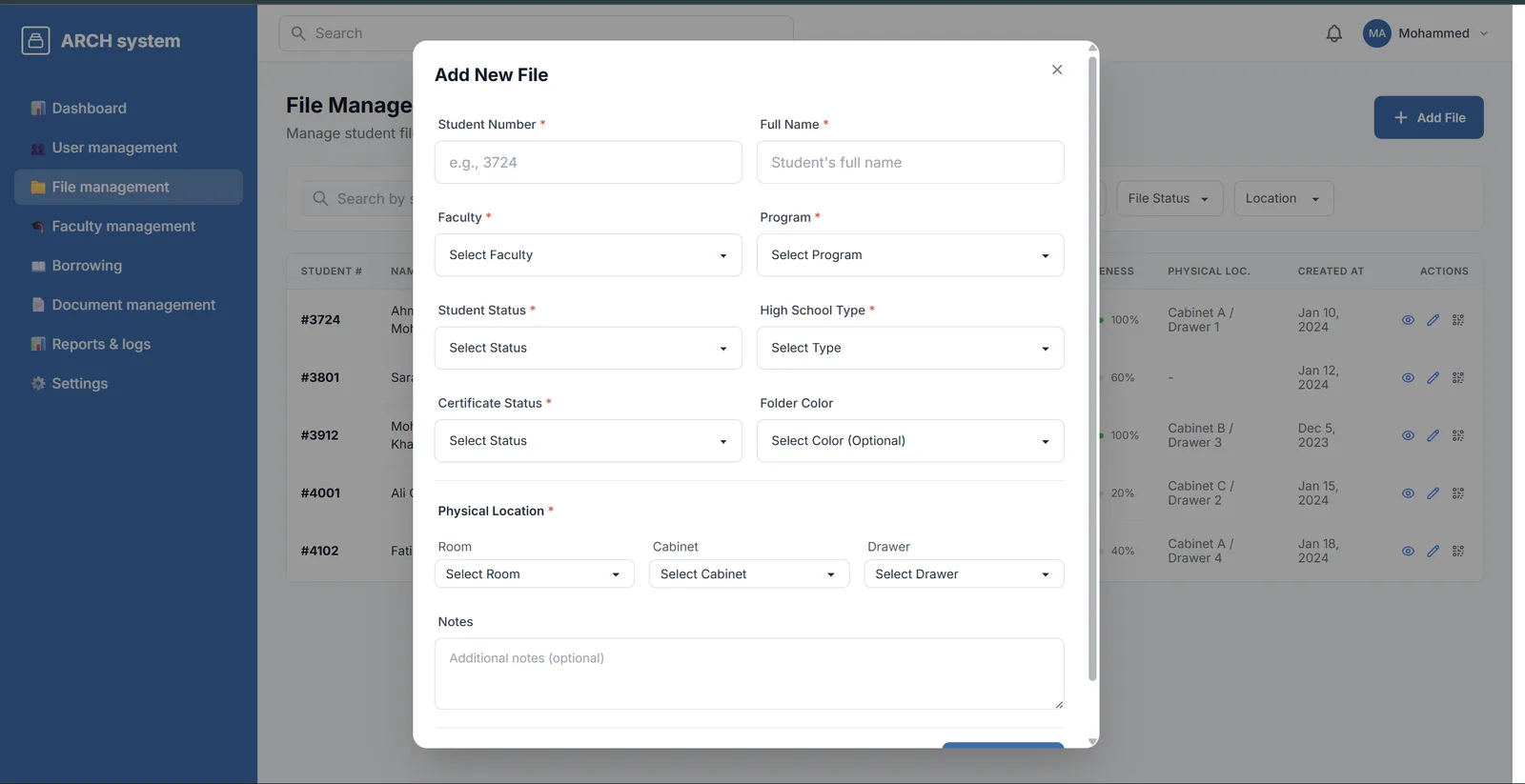
Adding a file uses cascading room, cabinet and drawer pickers.
- 04
Borrowing operations
A multi-step checkout, QR or manual check-in and return verification for archivists.
- 05
Faculty requests
Faculty can request files and extensions and track what they have borrowed.
- 06
Admin console
Users, faculties, documents, reports with audit logs and settings.
Interface
Screens from the real app.
Under the hood
How it's built.
Architecture and the engineering decisions behind it.
01
Fast, framework-free prototype
Static HTML pages styled with Tailwind CSS and daisyUI, with small vanilla JavaScript handlers for tabs, modals, multi-step flows and toasts.
02
Three role workspaces
Each role has its own dashboard and sub-pages, so stakeholders can walk through their real tasks end to end.
Problems solved
Technical challenges.
Keeping a dozen pages consistent
Without a framework, shared navigation, sidebars and modals were copied into each page. Small Python scripts push one canonical version of each shared block across all pages.
Development status · Prototype
What's next.
Everything above is built and working. These parts are planned and not implemented yet:
- The full app specified by the team: a Vue frontend, a Laravel API and PostgreSQL
- Real QR generation and scanning
- Document scanning with OCR and search
- Arabic right-to-left interface